What Sets the Agentic Grok Variant Apart: 256K, Continuous Loops, No Soft Cap
grok-build-0.1 is xAI's first model purpose-built for autonomous multi-step software engineering — not single-turn conversation. Released on May 20, 2026 , the model ships with four specifications that separate it from the rest of the Grok lineup available in Kilo Code: a 256,000-token context window , text and image input support, no fixed output token cap, and training optimized for continuous loop execution — planning, writing, refactoring, and self-correcting across multi-file workflows without human intervention between steps. Other Grok variants listed in Kilo Code's provider documentation cap closer to 131,000 tokens , making the context gap roughly 2×.
The context window difference matters in practice. At 256K tokens, grok-build-0.1 can hold a larger working set — full module graphs, extensive test suites, or multi-file diffs — in a single pass. At 131K, a large-codebase workflow hits context limits sooner, requiring manual chunking or truncation that breaks autonomous continuity. For tasks like cross-cutting refactors or dependency-heavy feature additions, that headroom determines whether the agent can complete a logical unit of work in one session or must be restarted repeatedly.
The no-output-cap design is equally deliberate. Conversational models impose soft output limits — typically a few thousand tokens per response — to keep latency manageable for chat interfaces. grok-build-0.1 removes that constraint. When an autonomous agent needs to emit a 2,000-line migration script, a dense test suite, or a structured multi-step plan in a single generation cycle, the absence of a soft cap means the task completes without artificial breaks that require re-entry and context re-establishment.
Image input brings a different capability to the loop. Error screenshots, UI wireframes, and architecture diagrams can be passed inline alongside code and instructions. In a debugging workflow, this means dropping a stack trace screenshot or a UI diff directly into the context rather than transcribing the error manually — reducing friction when the ground truth is visual. According to xAI's Kilo Code integration announcement and corroborated by Kilo Code's subscriber guide, the model is designed to process these inputs inline without requiring separate preprocessing steps.
"grok-build-0.1 is purpose-built for agentic software engineering — handling complex, multi-step tasks with no fixed output token limit, an extended 256K context window, and native image input for diagrams and error screenshots." — xAI, Kilo Code Integration Announcement (May 2026)
$30, $40, or $300/Month: Choosing the Subscription Tier That Fits Your Workflow

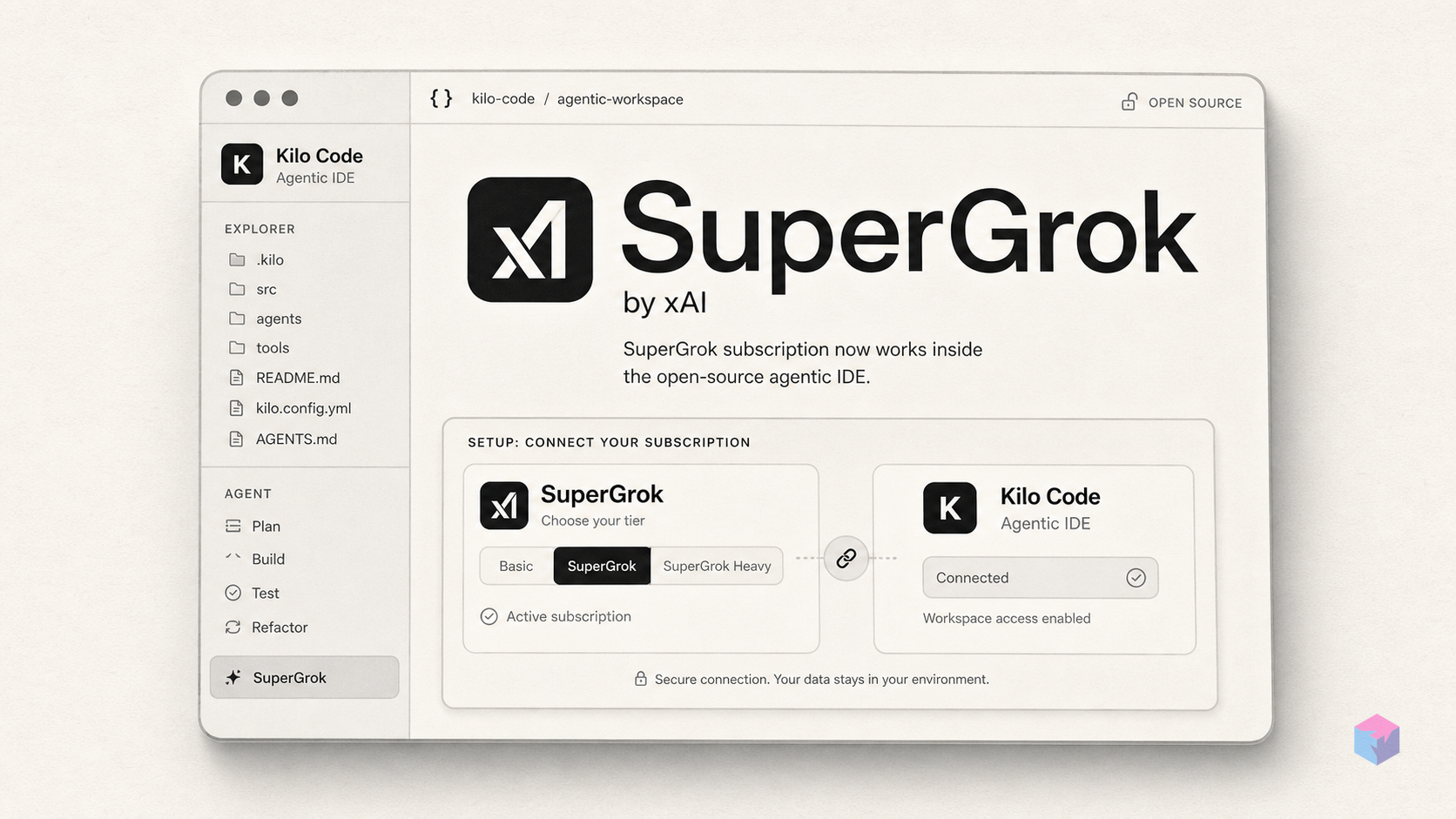
As of May 27, 2026, grok-build-0.1 inside Kilo Code is accessible across three xAI subscription tiers . SuperGrok Heavy at $300/month was the only path before the expansion. SuperGrok at $30/month and X Premium+ at $40/month were enabled during the rollout that ran May 24–27, 2026 . All three tiers draw usage from existing subscription quotas — Kilo Code does not layer additional per-token charges on top of the OAuth integration.
| Tier | Monthly Price | grok-build-0.1 Access | Billing Inside Kilo Code | Availability |
|---|---|---|---|---|
| SuperGrok Heavy | $300/month | Yes | No incremental charge | Original access (pre-May 27) |
| SuperGrok | $30/month | Yes | No incremental charge | Enabled May 24–27, 2026 |
| X Premium+ | $40/month | Yes | No incremental charge | Enabled May 24–27, 2026 |
| Direct API | Pay-as-you-go | Yes | $1.00/M input, $2.00/M output | Available independently of IDE |
The decision for most individual developers is straightforward: if you already hold SuperGrok or X Premium+ for Grok's consumer features — web search, image generation, or access to Grok on X — you can activate the Kilo Code integration at no additional cost. That makes the marginal cost of the IDE integration zero for existing subscribers. SuperGrok Heavy remains the tier most likely to carry higher rate limits, given its positioning as the engineering-focused offering before the expansion , though xAI has not publicly specified per-session or per-hour caps for any tier inside Kilo Code.
The direct API path at $1.00 per million input tokens and $2.00 per million output tokens is the right choice for teams building tooling that calls grok-build-0.1 programmatically — batch pipelines, custom orchestration layers, or calls originating outside the IDE. Subscription OAuth fits individual developers running interactive agentic sessions who want predictable monthly billing rather than per-token tracking.
Editor and CLI Setup: VS Code, JetBrains, and the Browser Authorization Flow
Kilo Code is an Apache-2.0 open-source agentic coding platform available as a VS Code extension, a JetBrains plugin, and a standalone CLI. Connecting the xAI provider uses OAuth rather than a static API key — token persistence is handled automatically by Kilo Code after initial authorization. The entry point differs by environment, but the underlying browser-based authorization flow is the same across all three surfaces.
VS Code setup — step by step:
- Open VS Code and click the Kilo Code icon in the activity bar to open the sidebar.
- Navigate to Settings → Providers → xAI.
- In the provider type dropdown, select "xAI Grok OAuth (SuperGrok / X Premium)".
- Click Authorize. A browser window opens pointing to xAI's OAuth endpoint.
- Log in with your X account and grant the permissions Kilo Code requests.
- The browser redirects to
127.0.0.1:56121to complete the handshake. Kilo Code stores the token — no manual copying required.
The OAuth callback port — 127.0.0.1:56121 — must be free on your local machine when the authorization flow runs. If another process is already listening on that port, the redirect will fail silently, and the provider will not show as connected. Check for conflicts with lsof -i :56121 on macOS/Linux, or netstat -ano | findstr :56121 on Windows. Terminate any conflicting process before initiating the flow.
JetBrains setup: Install the Kilo Code plugin from the JetBrains Marketplace. The plugin is compatible with IntelliJ IDEA, PyCharm, WebStorm, GoLand, and Rider . After installation, navigate to the plugin's settings panel within the IDE (typically under the AI Tools or Kilo Code section in Preferences). The xAI OAuth provider option appears there, and the browser authorization flow proceeds identically to the VS Code path — same port, same redirect, same token storage behavior.
CLI setup:
kilo auth login --provider xaiThis command triggers the same browser OAuth flow as the editor integrations. Once the browser authorization completes and the callback hits 127.0.0.1:56121, the CLI stores the token in the shared credential store used by the editor extensions. A single authorization on a given machine covers both the CLI and editor surfaces — you do not need to authenticate twice.
After any successful authorization, Kilo Code makes grok-build-0.1 available in all five built-in agent modes: Code, Architect, Debug, Ask, and Orchestrator. MCP (Model Context Protocol) extensions configured in your Kilo Code environment work with the xAI provider the same way they do with any other connected model.
SSH and VPS Sessions: Completing Authorization Without a Local Browser

The browser-redirect OAuth flow assumes a local machine with a display. Remote development environments — VPS instances, SSH-connected servers, GitHub Codespaces, or containers without a display — cannot complete the standard redirect because 127.0.0.1:56121 on the remote host is not reachable from the browser on your workstation. Kilo Code handles this via a device-code flow conforming to RFC 8628 — the same standard used by tools like GitHub CLI and the Google Cloud SDK for headless authentication.
Device-code flow — step by step:
- On the remote machine (over SSH or inside the container), run:
kilo auth login --provider xai - Kilo Code prints a short alphanumeric code and a URL to the terminal. No browser is required on the server.
- On any secondary device with a browser — your workstation, a phone, or any machine with access to xAI's OAuth endpoint — navigate to the printed URL.
- Enter the short code and complete xAI authentication on that secondary device.
- The remote Kilo session polls for confirmation and stores credentials once authorization completes. This typically takes a few seconds after the secondary device approves.
Once authorized, the remote session holds credentials identically to a local install. All five agent modes and any configured MCP extensions are available without functional difference. If credentials expire — or are invalidated by a concurrent session on another machine — re-run kilo auth login --provider xai on the remote machine and repeat the device-code flow from step one.
"For headless and SSH-connected environments, the device authorization grant (RFC 8628) allows the remote session to authenticate via any secondary device with a browser — no local display or browser is required on the server itself," as described in Kilo Code's xAI provider documentation.
Concurrent Sessions and Re-authentication: When Credentials Break
xAI rotates refresh credentials on every token-refresh event — this is a deliberate security design, not a bug in Kilo Code's implementation . Each time a Kilo Code session uses the refresh token to obtain a new access token, xAI issues a new refresh token and invalidates the previous one. Kilo Code stores the latest token automatically, so a single active session handles credential rotation transparently without any user action.
The problem surfaces when two Kilo Code instances run simultaneously against the same xAI account — for example, a VS Code window and a CLI session running in a separate terminal, or two VS Code windows with the xAI provider active. If both instances attempt a token refresh in close succession, whichever one fires second is using a token the first already invalidated. The result: one session receives an unexpected 401 Unauthorized error with no explicit logout having occurred.
The symptoms are easy to misdiagnose as a service outage or network issue. The distinguishing characteristic is that the error is sudden and mid-session rather than on initial connection. If grok-build-0.1 returns authorization errors during an active session and you did not manually log out, check for a second Kilo Code process before doing anything else.
Recovery sequence:
- Close all but one Kilo Code instance — editor windows, CLI sessions, and any background agent processes tied to the same xAI account.
- In the remaining instance, run
kilo auth login --provider xai(or navigate to the provider settings panel in VS Code) to obtain a fresh token. - Complete the OAuth or device-code flow. The session restores immediately once authorization succeeds.
During the initial May 27, 2026 rollout, authentication delays affected an estimated 10–15% of users — likely a combination of server load and token state propagation lag. The documented workaround for that period was logout, a 2–3 minute wait, then re-authentication. That wait period still applies if a clean re-auth attempt fails immediately: the wait gives xAI's token server time to propagate the invalidation before issuing a new clean session.
v0.1.218 Patch Notes and the Separate Lightweight Inference Option

Alongside the subscriber access expansion, xAI shipped Kilo Code version 0.1.218 — a maintenance release addressing three platform-specific issues discovered during extended agentic sessions . Separately, Kilo Cloud is offering a distinct, lighter Grok inference model through a different access channel. The two tracks are independent; understanding the distinction prevents setup confusion.
v0.1.218 changes:
- Linux clipboard image-paste restored: A regression that broke pasting images from the clipboard on Linux was fixed. This matters specifically for the inline image-input workflow: error screenshots and diagrams pasted from clipboard now reach the model without requiring a file-save intermediary step.
- Windows keyboard shortcuts standardized: Shortcut mappings on Windows were aligned with the documented keybindings, resolving inconsistencies that surfaced on Windows-based development setups.
- Crash prevention above 50 consecutive tool calls: grok-build-0.1's autonomous loop can invoke tools — file reads, shell commands, search operations — many times in a single session. v0.1.218 adds a guardrail that prevents the Kilo Code process from crashing when tool call counts exceed 50 in a continuous run . For long autonomous refactoring or debugging sessions, this is a meaningful stability fix.
Grok Code Fast 1 (Optimized) — what it is and what it is not: This is a separate model, not a configuration variant of grok-build-0.1. It is listed at $0.20 per million input tokens — one-fifth the direct API cost of grok-build-0.1 — and is currently offered free through Kilo Cloud for a limited promotional period with no credit card required . It is a test-time compute-scaled variant of a faster Grok architecture, not the same model trained for autonomous engineering loops.
The practical split:
- grok-build-0.1 via subscription OAuth: Complex multi-file refactoring, cross-cutting feature implementation, autonomous debugging loops, large-context architectural tasks. Use when you need the 256K window or uninterrupted continuous execution.
- Grok Code Fast 1 via Kilo Cloud: Quick single-file completions, lightweight generation tasks, cost-sensitive workloads, or initial evaluation without committing to a subscription.
One important boundary: Cloud Agents within Kilo's enterprise tier require a separate API key. The subscription OAuth path that unlocks grok-build-0.1 does not grant access to Kilo Cloud features . These are distinct access channels, and mixing them up is a recurring source of configuration issues reported in the Kilo Code community.
Frequently Asked Questions
What rate limits apply to SuperGrok and X Premium+ subscribers using grok-build-0.1 in Kilo Code?
xAI has not published specific per-session or per-hour caps for SuperGrok ($30/month) or X Premium+ ($40/month) subscribers using grok-build-0.1 via Kilo Code OAuth . Usage draws from each tier's existing subscription quota rather than a separate Kilo-specific allowance. SuperGrok Heavy ($300/month) was the original engineering-focused tier before the May 27 expansion, so it likely carries higher practical limits than the lower tiers — but the exact thresholds remain undisclosed. If you encounter throttling, the session will return an error response; retrying after a short interval is the recommended approach, and switching to the direct API at $1.00/M input tokens provides a metered alternative with no subscription-level cap ambiguity.
Can I use grok-build-0.1 on a remote server or VPS without a local browser?
Yes. Kilo Code implements the RFC 8628 device-code flow specifically for headless environments . Run kilo auth login --provider xai on the remote machine. Kilo Code prints a short alphanumeric code and a URL to the terminal — no browser is needed on the server. Navigate to the URL on any secondary device with a browser (your workstation, a phone, any machine with internet access), enter the code, and complete xAI authentication there. The remote session polls for approval and stores credentials once granted. This covers VPS instances, SSH-connected development boxes, GitHub Codespaces, and containers without a display. If credentials expire later, re-run the same command and repeat the device-code flow.
How is grok-build-0.1 different from the other Grok variants available in Kilo Code?
grok-build-0.1 differs from other Grok variants in Kilo Code on four specific dimensions: a 256,000-token context window versus approximately 131,000 tokens for other variants listed in the provider documentation ; no fixed output token cap (other variants impose soft output limits suited to conversational use); image input support for error screenshots, UI mockups, and architecture diagrams; and training optimized for continuous autonomous loop execution — planning, writing, refactoring, and self-correcting — rather than single-turn conversational responses. The model was first released on May 20, 2026 as xAI's first purpose-built agentic engineering model and is separate from the standard Grok conversational lineup.
What happens if I have two Kilo Code windows open simultaneously with the xAI provider?
xAI rotates refresh credentials on every token-refresh event. If two Kilo Code instances are active against the same account simultaneously — a VS Code window and a CLI session, or two separate editor windows — they can mutually invalidate each other's refresh tokens . Whichever instance fires a token refresh second is using a token the first already consumed. The result is an unexpected 401 Unauthorized error in one or both sessions, with no explicit logout having occurred. Recovery: close all but one Kilo Code instance, then run kilo auth login --provider xai to obtain a fresh token. To avoid recurrence, operate only one active Kilo Code session per xAI account on a given machine. If you genuinely need two concurrent AI coding sessions, consider routing one to a different provider available in Kilo Code — Anthropic, OpenAI, or a local model via Ollama.
Is there a no-cost way to try Grok inference inside Kilo Code without a paid subscription?
Yes. Grok Code Fast 1 (Optimized) is available through Kilo Cloud free for a limited promotional period, with no credit card required . It is a separate, lighter model from grok-build-0.1 — priced at $0.20 per million input tokens when outside the free promotional window, compared to $1.00/M for grok-build-0.1 via direct API. Grok Code Fast 1 is suited for lower-complexity tasks: single-file completions, quick prototyping, or initial tool evaluation. It does not provide the 256K context window, the continuous loop training, or the no-output-cap behavior of grok-build-0.1. If your workloads fit within its capabilities, it is a practical zero-cost entry point to Grok inference inside the Kilo Code environment.
Context, Cost, and Credential Hygiene: What to Take Away
The May 27, 2026 expansion makes grok-build-0.1 accessible to a substantially broader developer audience. If you already hold a SuperGrok or X Premium+ subscription, the Kilo Code OAuth integration costs nothing additional and takes a few minutes to configure. The technical differentiation of grok-build-0.1 — 256K context, no output cap, image input, loop-optimized training — is concrete and addresses real pain points in multi-file, long-horizon engineering tasks. The limitations are equally concrete: no published per-tier rate limits, a token-rotation design that breaks concurrent sessions, and an initial rollout with a non-trivial authentication failure rate .
A practical approach: start with Kilo Cloud's free Grok Code Fast 1 tier to validate the tooling and your workflow before committing to a subscription. When you move to grok-build-0.1, keep one active xAI session per machine to sidestep token rotation conflicts. If you work in remote environments, test the device-code flow on a throwaway session before relying on it for production development work. And for the port-conflict issue during VS Code authorization — check 127.0.0.1:56121 first; it is the most common silent failure in the setup flow.
Kilo Code's multi-provider architecture — supporting 500+ models across Anthropic, OpenAI, Google, DeepSeek, xAI, Mistral, and local options — means the xAI integration slots in alongside existing provider configurations rather than replacing them. Teams already routing tasks through Claude or Gemini in Kilo Code can add grok-build-0.1 as a second option for specific workload types — large-context refactoring, image-informed debugging — without rebuilding their existing workflows.
Last updated: 2026-05-29. This article reflects the v0.1.218 release and the May 27, 2026 subscriber access expansion. Rate limits, promotional periods, and tier eligibility are subject to change by xAI and Kilo Code without notice.