Workspace Intelligence: The Cross-App Semantic Foundation
Workspace Intelligence is a semantic layer that gives Gemini persistent, cross-app awareness across Gmail, Drive, Calendar, Chat, Docs, Sheets, and Slides. Announced at Google Cloud Next on April 22, 2026 , it replaces the prior model — where Gemini operated per-document and reset context on each session — with a continuous shared context that informs every Gemini-powered feature across apps simultaneously. The four data source categories (Gmail; Drive and Docs including Sheets, Slides, and PDFs; Calendar; Chat) are all enabled by default and independently toggleable by admins, making this the control surface that governs every downstream Gemini feature in Workspace .
The structural change is meaningful for enterprise deployments. Previously, Gemini's sidebar features in Docs or Gmail operated within the context of the open document or thread. Workspace Intelligence removes that boundary — Gemini can now draw on the full corpus of a user's Gmail, Drive, Calendar events, and Chat history when responding to any prompt, in any app. The consequence is that a Docs Live voice session can pull from email threads and calendar context simultaneously, without the user switching apps or explicitly referencing those sources.
Disabling a source category has direct and documented downstream effects : turning off Gmail removes AI Inbox entirely; disabling Drive and Docs removes Drive Projects; disabling Calendar prevents Gemini from performing any event scheduling. This makes each toggle a meaningful architectural decision for Workspace admins, not simply a feature flag. Settings propagate within 48 hours and can be scoped per org unit or configuration group — giving IT teams granular control over which departments have full cross-app Gemini context versus restricted access.
On data governance: Google states that user data is not used for model training or advertising . Client-side encryption is available for organizations with strict compliance requirements. Sovereign data controls are currently live for the US and EU, with Germany and India on the announced expansion roadmap . For developers building on the new Workspace MCP Server, understanding which data source categories are active in a target org is a prerequisite for predicting Gemini's context availability at runtime.
Docs Live: Hands-Free Drafting from Voice Input

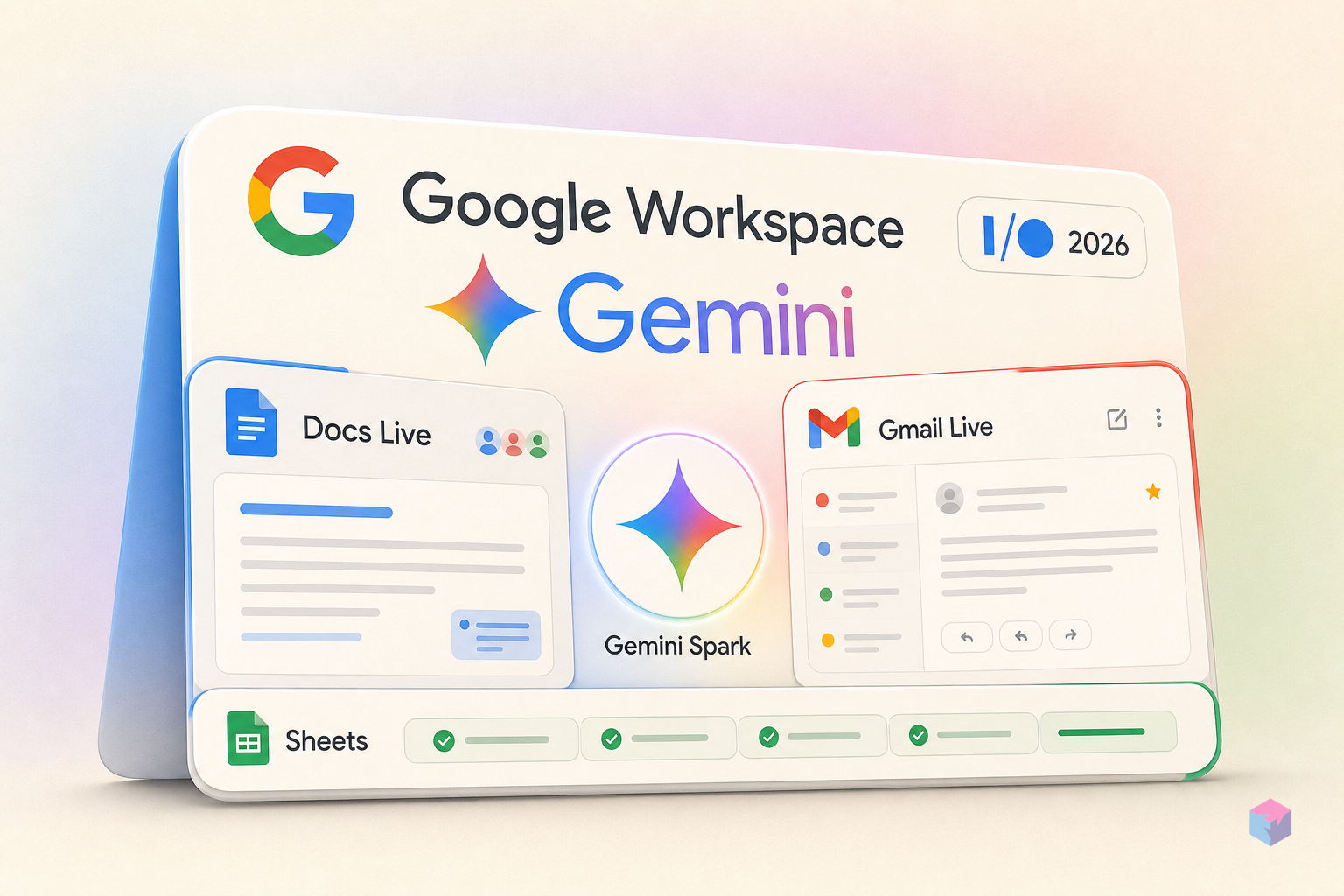
Docs Live is the flagship Workspace announcement from Google I/O 2026 on May 19, 2026 : a voice-to-structured-draft system where users speak freely and Gemini builds a coherent document in real time, without any post-processing or manual editing step required. This is not transcription. Gemini is actively organizing speech into formatted content as the user speaks, pulling relevant material from Gmail, Drive, Chat, and the web (with permission) during the active voice session. The distinction from the Gemini sidebar is substantive: sidebar interactions are request-response cycles; Docs Live is continuous and hands-free.
"Think of it as a real-time collaborative thought partner" — Google product description of Docs Live, as reported by Android Authority, May 2026.
The practical workflow: a user might say "Write a project brief for the Q3 infrastructure migration — cover the scope from Monday's standup and reference the cost estimates from John's email last week." Docs Live locates the relevant threads and files in Gmail and Drive and incorporates them into the draft structure as the user continues speaking. No tab-switching, no copy-paste, no explicit file lookup required. The cross-source pull happens within the active session, gated by Workspace Intelligence source toggles.
Rollout is Summer 2026 on Android and iOS, globally — making Docs Live the only voice-first Live feature with an international launch window rather than a US-only restriction . At launch it is English-only with no announced date for additional language support. Access follows the subscription tier structure: Google AI Pro ($20/month) and AI Ultra ($100/month) subscribers get first access; Google Workspace business customers receive preview access the same summer .
For developers building document-centric tools, Docs Live introduces a new interaction model worth tracking. Its cross-source pulling behavior is gated by Workspace Intelligence source toggles — any integration relying on programmatic document context needs to account for whether Gmail, Drive, and Chat are enabled in the target org. There is no announced API for triggering Docs Live behavior from external applications at launch, but the underlying Workspace MCP Server connection suggests a programmatic path may follow in a later phase.
Gmail Live and AI Inbox: Conversational Search Over Email
Gmail Live reframes inbox interaction as a voice dialogue rather than a search query. Users ask natural-language questions and Gmail Live synthesizes an answer from inbox contents as a spoken, contextual response . Critically, follow-up questions work within the same session context — it is a multi-turn dialogue, not a one-shot lookup. This changes the UX model for email retrieval: users can iteratively narrow and explore inbox information without reformulating each query from scratch, and without navigating search filters.
"What events does my son Jack have at school?" — Google's published example query for Gmail Live, demonstrating cross-thread synthesis from inbox contents , as cited by 9to5Google.
Gmail Live's rollout is narrower than Docs Live: Summer 2026, Android and iOS, US-only, English-only, for AI Pro and Ultra subscribers . The US-only restriction applies to the voice interaction layer. The underlying inbox data processing relies on Workspace Intelligence, which carries no announced geographic restriction at the feature level.
Separate from Gmail Live — and already live at I/O time — is AI Inbox. This is a set of inbox management enhancements available for AI Plus and Pro subscribers in the US as of May 2026, with Workspace Enterprise Plus customers having had earlier preview access . AI Inbox includes personalized draft reply suggestions, one-click topic-read management (marking all threads on a topic as read in one action), and inline surfacing of relevant Docs, Sheets, and Slides files directly within the thread view. These are not voice features — they operate within the standard Gmail UI and are available now rather than Summer 2026.
For developers: the multi-turn conversational model in Gmail Live has implications for applications that currently surface email search results. If users migrate to conversational inbox queries as a primary interaction pattern, tools built around keyword search or filter-based email retrieval may need to reconsider their UX assumptions. The absence of a public API for Gmail Live at launch means external apps cannot trigger or extend this behavior, but the interaction pattern itself will influence what users expect from any email-adjacent tool.
Sheets: Natural-Language Spreadsheet Construction and Third-Party Data
Google Sheets gained one-shot natural-language construction in April 2026, documented in the Workspace Updates blog . The workflow: describe the spreadsheet structure and data requirements in plain language, and Gemini handles formatting, pulls data from files, emails, chats, and the web, then assembles visualizations. Google's published performance benchmark is that prompt-based population is 9x faster than manual entry . The scope of what "one-shot" covers — formatting rules, data sourcing, chart generation — positions this significantly beyond the earlier Gemini sidebar, which could suggest formulas but required the user to apply them manually.
Third-party data imports now connect natively to HubSpot and Salesforce without custom connectors . This is practically significant for sales and operations teams who previously maintained parallel CRM exports alongside Sheets. For developers, it narrows the niche for bespoke integration scripts that shuttle CRM data into Sheets — though custom connectors remain relevant for platforms outside the HubSpot/Salesforce pair and for structured transformations that Gemini's natural-language approach may not handle consistently.
The AI-generated dashboard canvas is the clearest signal of a strategic shift in direction: in March 2026, Google added prompt-based infographics in Docs and Slides ; Sheets now receives AI-generated dashboard surfaces. The pattern is consistent across three consecutive months of updates — Gemini is becoming the primary content generator, not an annotation layer on top of user-created content. Developers building reporting or data visualization tools on top of Workspace should treat this shift as a structural signal about where the product is heading.
| Capability | Previous Gemini Sidebar (Sheets) | Gemini One-Shot Construction (April 2026) |
|---|---|---|
| Formula suggestions | Yes — user applies manually | Applied automatically in generated sheet |
| Data sourcing | User provides data; Gemini analyzes it | Pulls from Gmail, Drive, Chat, and the web |
| Visualization creation | Suggest chart type; user builds it | Assembled as part of one-shot generation |
| Third-party CRM data | Requires manual export or connector script | Native import: HubSpot and Salesforce |
| Dashboard surface | Not available | AI-generated canvas (announced April 2026) |
| Speed vs. manual entry | Partial acceleration via formula help | 9x faster (Google's published benchmark) |
Keep Live: Multi-Topic Voice Note Organization

Keep Live addresses a specific friction point in voice note workflows: most voice-to-text tools treat a spoken session as a single monolithic note, requiring users to stop, save, and restart for each new topic. Keep Live removes that constraint — users speak continuously across multiple unrelated subjects, and Gemini distinguishes topic boundaries and creates separate structured notes automatically after the session ends . The detection of topic shifts is handled by Gemini during processing; no manual delimiters or restart required.
The output is structured, not a raw transcript. Keep Live processes the session post-completion and generates organized notes per detected topic, making them immediately usable rather than requiring cleanup. The rollout is Summer 2026, Android-only (no iOS at launch), US-only, English-only, for AI Pro and AI Ultra subscribers . The Android-only restriction is narrower than both Docs Live and Gmail Live, and there is no announced timeline for iOS support, geographic expansion, or additional language coverage.
The topic-detection mechanism is not publicly documented. It is unclear whether Gemini uses semantic shift detection, prosodic cues, pause duration, or a combination to determine topic boundaries within a session. For developers building personal knowledge management integrations on top of Workspace, Keep Live's structured output is the relevant piece: if the generated notes land in Keep with consistent metadata and structure, they become a more reliable source for downstream processing than raw voice transcripts. The practical limitation at launch is the tight geographic and platform scope — US-only Android means this surface has a small initial user base compared to Docs Live.
Gemini Spark: Continuous Background Execution
Gemini Spark is a persistent cloud-based execution agent announced at Google I/O 2026 on May 19, 2026 . The defining characteristic is persistence: unlike session-based Gemini interactions that terminate when the user closes the app or locks the device, Spark runs continuously in the cloud and executes tasks autonomously within user-defined permissions. Tasks include event scheduling, document synthesis, and email confirmation tracking across Workspace apps — for example, Spark can monitor an email thread, identify a booking confirmation, and update a calendar event without requiring the user's device to be active at the time of execution.
"A persistent cloud-based AI agent... designed to run continuously even when devices are closed or locked" — characterization of Gemini Spark at Google I/O 2026, as reported by Codemotion, May 2026.
Each task step requires explicit user authorization — Spark does not operate with blanket permissions. The user defines the permission scope at setup, and Spark operates within those boundaries. This authorization model is meaningful: it prevents silent background mutations to calendar, Drive, or email while still allowing asynchronous task completion without active device involvement . Google has not announced a developer API for third-party task injection at launch — Spark is a Google-controlled execution environment, not an open automation substrate.
Availability at launch is tightly scoped: Google AI Ultra subscribers in the US, with rollout described as available the week after I/O (late May 2026) . This positions Spark as the highest-tier feature in the I/O 2026 Workspace release — gated behind the $100/month Ultra plan and US-only at launch. For developer teams, the absence of a third-party API is the primary constraint: building tools that plug into Spark's task execution pipeline is not currently possible. The comparison to competing productivity platforms with autonomous AI assistant features is direct, though the key difference is Workspace's integration depth — Spark operates within apps users already use, rather than as a separate assistant surface.
Admin Controls, Data Privacy, and Sovereign Data Options
All Workspace Intelligence toggles live in Admin Console under Generative AI > Gemini for Workspace > Workspace Intelligence . The four independently toggleable categories — Gmail; Drive and Docs (including Sheets, Slides, PDFs); Calendar; Chat — each control whether that data source feeds into Gemini's shared context. Settings can be applied at three levels of granularity: org-wide, per org unit, or per configuration group. The per-configuration-group option is operationally significant: teams can have differentiated access without restructuring the entire org hierarchy . Propagation takes up to 48 hours after a change is saved.
Data commitments from Google: user data processed by Workspace Intelligence is not used for model training or advertising . Client-side encryption is available for organizations that require data to remain encrypted at rest in a manner Google cannot read. Sovereign data controls — constraining data residency and processing to a specific jurisdiction — are currently available for the US and EU . Germany and India are on the announced expansion roadmap with no published dates.
For enterprise Workspace deployments and developers building on Workspace APIs, the admin control surface is the correct place to start a security review. The dependency chain is explicit and documented: Live feature availability is gated directly by which source categories are enabled. Disabling Gmail removes AI Inbox entirely; disabling Calendar removes Gemini's scheduling capabilities across all apps. This is not graceful degradation — it is hard capability removal per the documented behavior . Any integration that relies on Gemini's cross-app context must verify source toggle state before assuming context availability at runtime.
Availability and Access Tiers

The I/O 2026 Workspace releases follow a consistent access pattern: AI Ultra subscribers get first or earliest access, AI Pro follows, and Workspace Enterprise Plus gets preview access for Live features. The geographic and language restrictions vary significantly by feature — voice-first features are limited to US-only and English-only at launch, while Docs Live ships globally . No published date exists for non-English language expansion or geographic rollout of voice-first features beyond the US.
| Feature | Rollout Window | Platform | Geography | Language | Minimum Tier |
|---|---|---|---|---|---|
| Workspace Intelligence | Live (April 22, 2026) | Web / All apps | Global | Multiple | Workspace (admin-configured) |
| Sheets one-shot generation | Live (April 2026) | Web | Global | Multiple | Workspace with Gemini |
| AI Inbox (Gmail) | Live (May 2026) | Web / Mobile | US only | English only | AI Plus / Pro; Enterprise Plus (early access) |
| Gemini Spark | Late May 2026 (post-I/O) | Cloud (device-off capable) | US only | English only | AI Ultra ($100/month) |
| Docs Live | Summer 2026 | Android + iOS | Global | English only | AI Pro ($20/month) |
| Gmail Live | Summer 2026 | Android + iOS | US only | English only | AI Pro ($20/month) |
| Keep Live | Summer 2026 | Android only | US only | English only | AI Pro ($20/month) |
The pricing context is relevant to developer audience decisions. Google restructured AI subscription pricing at I/O 2026: AI Ultra is now $100/month (reduced from a prior $250, then $200 before the I/O cut) , with 5x higher Gemini app usage limits than AI Pro. AI Pro remains at $20/month . For developers evaluating integration targets: features accessible at the AI Pro tier have a realistic addressable user base; Ultra-only features like Gemini Spark have a smaller but likely high-engagement segment at launch. The Gemini app is also shifting from daily prompt limits to a compute-used model that factors prompt complexity, features used, and conversation length — relevant for developers building apps that trigger significant Gemini usage per session .
Frequently Asked Questions
What is Workspace Intelligence and how does it differ from previous Gemini sidebar features?
Workspace Intelligence is a semantic layer launched on April 22, 2026 at Google Cloud Next that gives Gemini continuous, cross-app awareness across Gmail, Drive, Calendar, and Chat simultaneously . Previous Gemini sidebar features operated per-document and per-session: they could reference the open file or thread but reset context when the session ended and had no awareness of content in other apps. Workspace Intelligence is persistent — it maps a user's full email, file, calendar, and chat history into shared context that all Gemini features draw from continuously, regardless of which app is active. This is why disabling a single source category (e.g., Gmail) removes multiple downstream features: those features were always dependent on the shared context layer, not just their host app's content.
How does Docs Live differ from typing a prompt into the Gemini sidebar in Docs?
The Gemini sidebar in Docs operates as a request-response cycle: you type a prompt, Gemini returns a response, and you decide what to incorporate. Docs Live is continuous and hands-free: you speak, and Gemini structures output into a live draft in real time without requiring you to type, review an intermediate response, or apply it manually. With permission, Docs Live also pulls relevant material from Gmail, Drive, and Chat during the active voice session — cross-app sourcing that the sidebar does not perform during a standard prompt interaction. Docs Live ships Summer 2026 on Android and iOS globally (English-only) for AI Pro and Ultra subscribers .
Can enterprise admins prevent Gemini from reading specific data sources like Gmail?
Yes. All four Workspace Intelligence data source categories — Gmail; Drive and Docs (Sheets, Slides, PDFs); Calendar; Chat — can each be disabled independently in Admin Console under Generative AI > Gemini for Workspace > Workspace Intelligence . Disabling a source removes its associated downstream features: Gmail off removes AI Inbox; Calendar off prevents Gemini from scheduling events; Drive and Docs off removes Drive Projects. Settings propagate within 48 hours and can be scoped at org unit or configuration group level — not just org-wide — allowing individual teams to have differentiated access without restructuring the org hierarchy.
What does Gemini Spark do that a standard Gemini session cannot?
Gemini Spark is a persistent cloud process that continues executing when your device is closed, locked, or off. Standard Gemini sessions terminate when you exit the app — all processing stops and the context is lost. Spark runs tasks autonomously within user-defined permissions: event scheduling, document synthesis, email confirmation tracking across Workspace apps, without requiring any active device interaction . Each task step still requires explicit user authorization at setup; Spark does not operate with unsupervised blanket permissions. At launch (late May 2026), Spark is available to Google AI Ultra subscribers in the US only, with no announced developer API for third-party task injection.
Are the new Live features available outside the US?
Docs Live is the exception: it launches globally in Summer 2026 on Android and iOS (English-only) . Gmail Live and Keep Live are both US-only at their Summer 2026 launch, also English-only. Google has not announced a date for non-English language support for any of the Live features, nor a geographic expansion timeline for Gmail Live and Keep Live beyond the US. The underlying Workspace Intelligence layer has no announced geographic restriction and currently supports sovereign data controls for the US and EU .
What This Release Set Means for Workspace Integrations and Agentic Tooling
The I/O 2026 Workspace release is coherent as a system rather than a list of independent features. Workspace Intelligence provides the shared context layer; the Live features (Docs, Gmail, Keep) are user-facing surfaces built on top of it; Gemini Spark is the persistent execution layer; and Sheets' one-shot generation plus the Workspace MCP Server represent the programmatic access surface for builders . Each layer is independently accessible and toggleable, which makes the admin control surface unusually important — Workspace Intelligence source settings govern what is available not just to end users, but to any agent or integration running in the org context.
For developers: the Workspace MCP Server is the most immediately actionable piece from this release. It enables external AI applications to connect to Workspace Intelligence data, creating a sanctioned cross-Workspace programmatic path that previously did not exist . Combined with AI Studio's direct Workspace accessibility — for building dashboards on Sheets data or document organization tools on Drive — there is a meaningful new surface for teams building agentic tools on top of existing Workspace deployments. The absence of a developer API for Gemini Spark at launch is the notable gap: persistent background task execution remains a Google-controlled surface, not a third-party extensible one, for now.
The geographic and language restrictions on the voice-first features limit their near-term addressable user base. Teams building tools for non-US markets or non-English speakers should not gate roadmap decisions on Gmail Live or Keep Live reaching their users in Summer 2026 — those dates and geographies are not announced. Docs Live's global rollout is the more broadly applicable integration target for the Summer 2026 window. The broader signal from this release, regardless of individual feature timelines, is that Google is building Workspace as an agentic execution environment rather than a document editing suite with AI sidebar features — a direction that will shape what users expect from any productivity tool built alongside or on top of it.
Last updated: 2026-05-29. Based on announcements from Google Cloud Next (April 22, 2026) and Google I/O 2026 (May 19, 2026). Feature availability and rollout dates reflect published information as of those events; actual rollout timing may vary.